
Property Management Transition Checklist: Simplify the Chaos with HandyTrac
A property management transition can be a hectic process — new staff, updated records, and constant change. One area you can’t afford to overlook is key control. If you’re wondering how to transfer or update your HandyTrac system during a management change, this step-by-step guide will walk you through everything you need to know.
1. How to Sign In to Your HandyTrac System After a Property Management Transition
If you’ve recently taken over management or inherited a HandyTrac system, you might not have login credentials yet — and that’s okay!
Here’s what to do:
- Check your welcome materials: The previous management company may have passed along your system ID, username, or admin credentials.
- Contact HandyTrac Support: If you don’t have login details or are unsure which system you’re using, give our support team a call. We’ll verify your property and help you regain access safely.
📞 1-800-665-9994
📧 support@handytrac.com

2. Update Authorized Users to Pull Keys from (or Access) your HandyTrac System
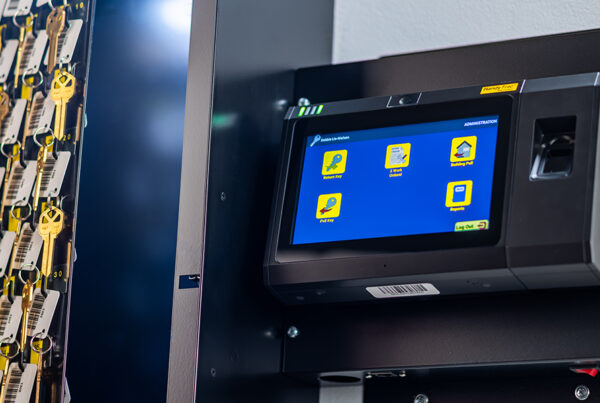
Start by reviewing the list of active users in your HandyTrac system.
- Remove access for any team members or management personnel who are no longer with the property.
- Add new users with the appropriate access levels.
- If you’re using biometric or badge authentication, ensure new users are properly enrolled before their first shift.
3. Review and Reset Admin Credentials for HandyTrac.com
The admin login should always be transferred securely to the new management team.
- Change administrator passwords and update any security questions or backup contact information.
- Confirm that system notifications (like audit reports or alerts) are being sent to the correct email addresses.
This prevents unauthorized logins and ensures accountability from day one.
4. Verify Key Inventory and Audit Reports
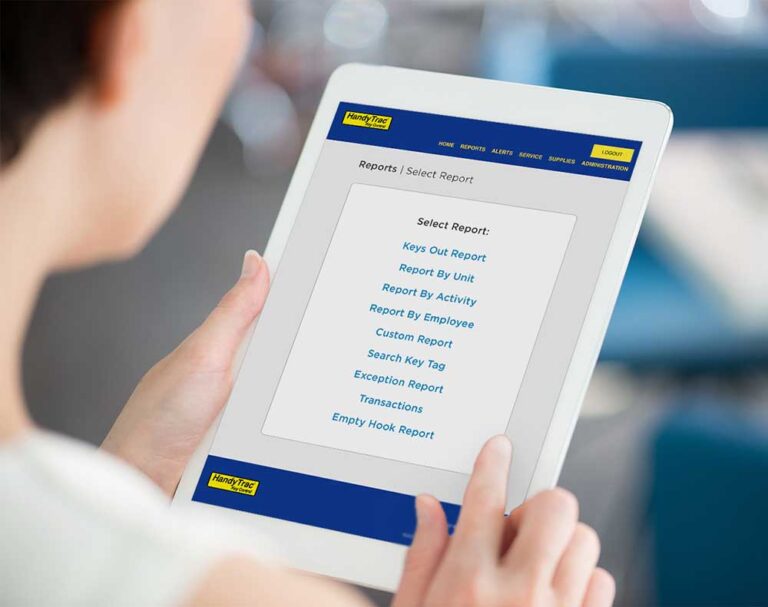
Before the handoff is complete, take a moment to run a full key inventory report.
- Confirm all keys are properly accounted for and stored.
- Review recent transaction logs to identify any outstanding checkouts or anomalies.
This provides a clean, documented baseline for the incoming management team.
5. Update Property Details in Your HandyTrac Account
If your property’s name, contact info, or company details have changed, update those within the HandyTrac system and your account profile. This ensures consistency across reports, audits, and support records.
6. Get HandyTrac Support During Your Management Transition
Our support team is here to make transitions easy. If you’re unsure how to transfer admin rights, update users, or review logs, we’ll walk you through it step by step.
📞 Call us: 1-800-665-9994
📧 Email: support@handytrac.com
Smooth Transitions, Strong Security
Change doesn’t have to disrupt operations. With HandyTrac, your key control system remains a trusted constant — ensuring that every handoff is as secure and seamless as possible. If your system is outdated, read our post on when to upgrade your HandyTrac system.