The HandyTrac app puts real-time key control, reporting, and administrative tools directly in your pocket. Whether you’re on-site, managing multiple properties, or overseeing regional operations, the app helps you stay informed, compliant, and in control, all without needing to be at the cabinet.
Here’s how to get the most out of your HandyTrac app, found on the Apple App Store or Google Play.
Start with the Home Dashboard
The Home screen gives you an instant snapshot of key activity at your property.
From this view, you can quickly see;
-
Total keys out in the system
-
Overdue keys that need attention
-
Recent activity and alerts
Overdue keys are clearly flagged with employee name, badge number, unit, activity type, and timestamp—so there’s no guessing who has what.
Why this matters:
Immediate visibility helps prevent lost keys, reduces liability, and keeps your team accountable throughout the day.
Use Reports to Gain Full Visibility
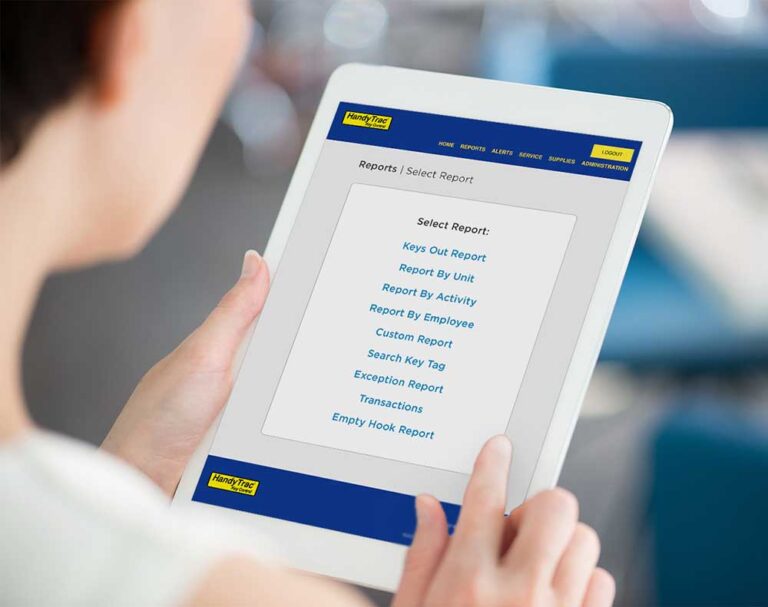
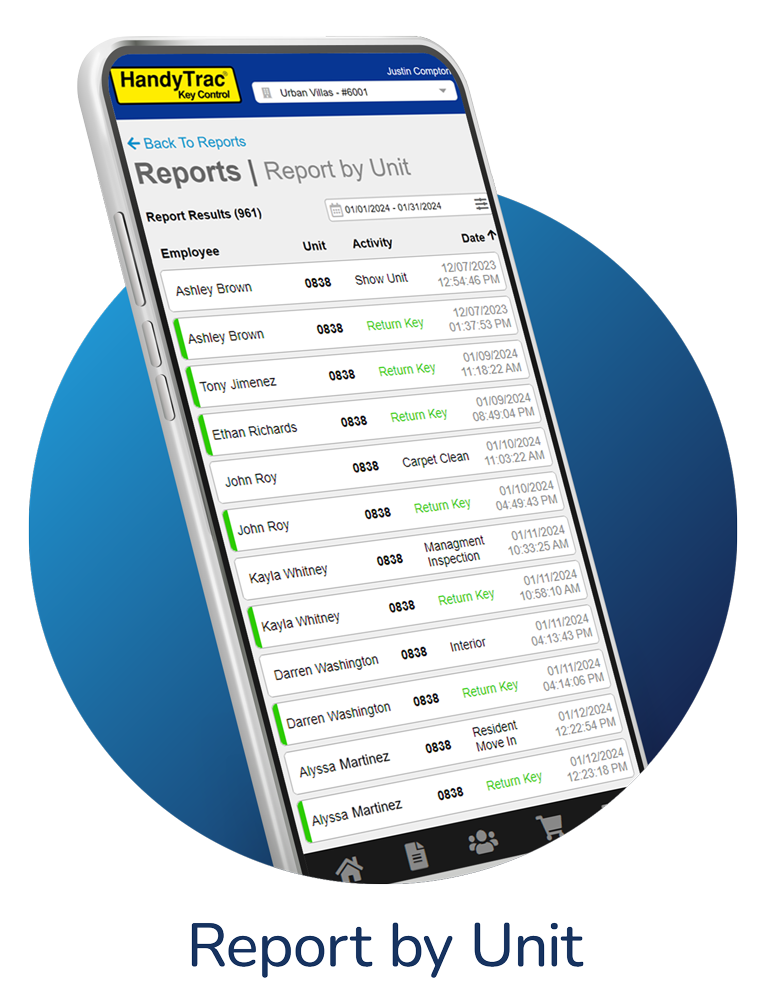
The Reports section is one of the most powerful tools in the app. It allows you to access detailed audit data anytime, anywhere.
Available reports include:
-
Keys Out Report – See all keys currently checked out
-
All Transactions – Full activity history
-
Report by Unit – View access tied to a specific unit
-
Report by Activity – Track maintenance, tours, or inspections
-
Report by Employee – Review individual usage patterns
-
Custom Reports – Build reports based on your exact needs
Why this matters:
Mobile access to reports makes audits, compliance checks, and internal reviews faster and less disruptive.

Drill Down with Key Tag Search
Using the Key Tag Search Report, you can trace the full history of a specific key tag.
This includes:
-
Every checkout and return
-
Badge validation attempts
-
Activity type
-
Date, time, and location
If there’s ever a question about where a key has been—or who accessed it—the answer is documented.
Why this matters:
A clear audit trail protects your team and supports compliance requirements.
Monitor and Respond to Active Alerts
The View Active Alerts section highlights issues that require action, such as:
-
Overdue key returns
-
Missed check-ins
-
Irregular access activity
Alerts are easy to review and prioritize, allowing managers to respond before small issues become bigger problems.
Best practice:
Make it part of your daily routine to check alerts at the start and end of each shift.
Manage Employees and Access Levels
The Employees section lets authorized users manage staff access directly from the app.
You can:
-
View active and inactive employees
-
Assign or edit badges and PINs
-
Identify “Master” access users
-
Quickly disable access when staff changes occur
Why this matters:
Fast access updates reduce security gaps and ensure only authorized team members can access key
Oversee Multiple Properties or Divisions
For regional or corporate users, the app supports division-level visibility. From the Property Section view, you can see multiple properties within seconds.
Why this matters:
Centralized oversight helps leadership identify trends, enforce standards, and maintain consistency across portfolios.
Handle Administration and Alerts Management
Depending on your access level, the Administration menu allows you to:
-
Manage alerts
-
Adjust system settings
-
Review corporate or property-level access
This flexibility ensures the right people have the right level of control—without overexposing access.
Order Supplies Directly from the App
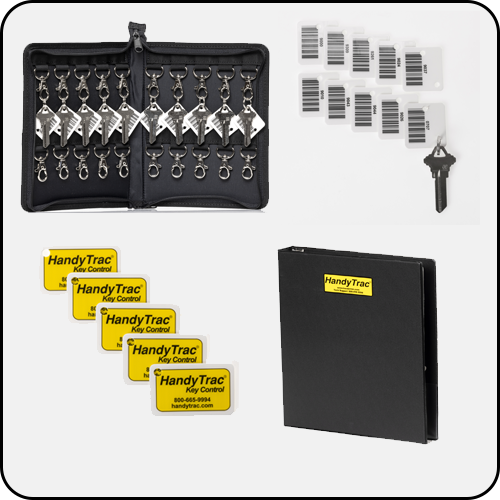
The Supplies section makes it easy to order HandyTrac accessories without switching platforms.
Why this matters:
Keeping supplies organized and replenished helps maintain system efficiency and consistency.
One App. Total Control.
The HandyTrac app extends the power of your key control system beyond the cabinet—giving you real-time visibility, accountability, and reporting wherever you are.
When used consistently, the app helps:
-
Reduce lost or overdue keys
-
Improve staff accountability
-
Simplify audits and compliance
-
Support safer, more efficient operations