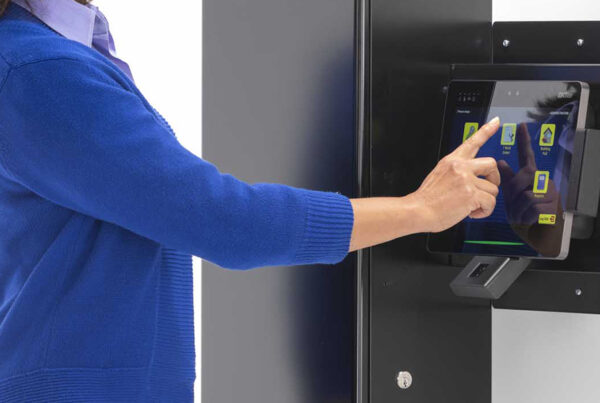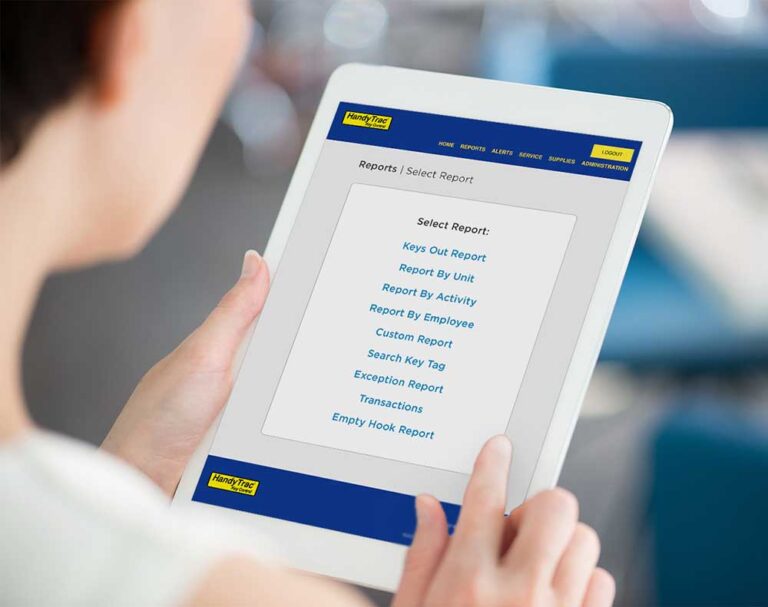

 HandyTrac, KeyTrak, and Traka are electronic key management systems used to control access to physical keys and document every interaction with them. While all three systems provide audit trails and controlled access, they take notably different approaches. HandyTrac relies on wall mounted cabinets with cloud based reporting and direct Yardi integration on supported models. KeyTrak uses a drawer based system with iButton key tagging and mobile access tools. Traka is built for enterprise environments, offering centralized administration through TrakaWEB. Understanding how these design choices affect daily operations is key to determining which system aligns best with your needs.
Why compare electronic key management systems?
Electronic key management systems are used across multifamily housing, commercial real estate, automotive, healthcare, education, and enterprise environments to control access to physical keys and record usage. While KeyTrak, HandyTrac, and Traka address the same fundamental need, their systems differ in cabinet design, authentication methods, reporting structure, scalability, and integration approach.
This guide compares publicly available specifications and clearly defined product capabilities to explain how each platform works and where meaningful differences exist, without ranking or endorsing any system.
How do HandyTrac, KeyTrak and Traka compare side-by-side?
| Category | HandyTrac | KeyTrak | Traka |
|---|---|---|---|
| Primary system type | Wall mounted electronic key cabinet | Drawer based electronic key management system | Electronic key cabinets with centralized management software |
| Hardware design | Cabinet with individually secured key positions | Electronically locked steel drawers | Cabinets available in multiple sizes and densities |
| Key identification method | Physical key positions assigned in system | iButton electronic key tags attached to keys | Key slots or electronic key modules depending on cabinet |
| User authentication | PIN and fingerprint biometric options depending on model | Fingerprint, password, proximity card, magnetic stripe, or combinations | Integrated with enterprise credential and access control systems |
| Audit trail | Logs key removal, return, user, and timestamp | Logs all transactions tied to iButton tags | Continuous audit trail across cabinets and locations |
| Reporting | Key status, user history, return time, and exception reports | Customizable reports with alerts | Centralized reporting through TrakaWEB |
| Alerts and notifications | Configurable alerts for overdue or unreturned keys | Alerts for overdue or missing keys | Alerts managed through TrakaWEB |
| Remote access | Internet connected administration and reporting | Edge Remote and mobile app on same network | Browser based centralized management |
| Mobile access | Web access and mobile application available | Mobile application available | Web interface accessible across devices |
| Cloud or network model | Internet accessible with cloud backed reporting | Network based with optional remote tools | Installed on corporate network |
| Integrations publicly referenced | Yardi property management software | Industry dependent integrations | Enterprise systems such as Active Directory |
| Scalability approach | Multiple cabinet sizes and system tiers | Drawer expansion based on configuration | Designed for multi site enterprise deployment |
| Typical environments | Multifamily housing and property management | Automotive retail and property operations | Enterprise, commercial, and global organizations |
| Pricing transparency | Quote based | Quote based | Quote based |
What problems do KeyTrak, HandyTrac, and Traka solve?
All three systems are designed to address the same core operational challenges:
-
Limiting unauthorized access to physical keys
-
Recording when keys are removed and returned
-
Associating access activity with verified users
-
Maintaining audit records for accountability, compliance, and review
The way each system achieves these goals varies based on hardware design and administrative model.
How does the physical hardware differ between systems?
 HandyTrac
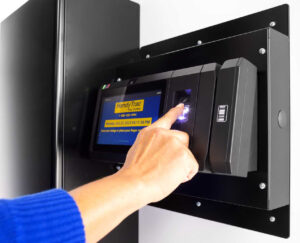
HandyTrac systems are wall mounted key cabinets offered in three current tiers: Standard, Premium Touch, and Platinum Touch.
-
Standard provides secure key storage with PIN based access and core reporting
-
Premium Touch adds fingerprint authentication and expanded reporting
-
Platinum Touch includes full web access, advanced reporting, and direct integration with supported property management platforms such as Yardi
All HandyTrac systems use individually secured key positions and are designed to provide clear visibility into who has a key, why it was taken, and when it is returned.
KeyTrak
KeyTrak Edge uses a drawer based configuration where keys are stored inside electronically locked steel drawers. Each key is paired with an iButton electronic key tag, which identifies and tracks individual key activity.
Traka
Traka offers multiple cabinet sizes across its Touch Pro and Traka21 product families. These systems are designed to scale by cabinet capacity and density to support larger key inventories.
What user authentication methods are supported?
HandyTrac
HandyTrac supports PIN based access on Standard systems and fingerprint biometric authentication combined with a PIN on Premium and Platinum models. Access permissions can be configured by role, time, or key group to align with operational policies.
KeyTrak
KeyTrak Edge systems support multiple authentication methods including fingerprint, passwords, proximity cards, magnetic stripe cards, and multi credential combinations.
Traka
Traka systems integrate with enterprise credential and access control platforms, allowing key access to align with existing identity management systems.
How do reporting and audit records compare?
HandyTrac
HandyTrac provides real time visibility into which keys are out, who has them, when they were removed, and when they are returned. Reports support daily operations, audits, and exception tracking, with automated cloud backup for data retention.
KeyTrak
KeyTrak Edge provides customizable reports tied to iButton key activity, along with alerts for overdue or missing keys.
Traka
TrakaWEB provides centralized reporting and monitoring across multiple cabinets and locations, supporting enterprise level audit and compliance needs.
What remote access and administration options exist?
 HandyTrac
HandyTrac allows administrators to manage settings and access reports through mobile app or web browser. Platinum Touch systems support full web based administration across locations.
KeyTrak
KeyTrak offers a mobile application and Edge Remote access for viewing system activity from computers on the same network as the cabinet.
Traka
TrakaWEB is browser based software installed on an organization’s corporate network, enabling centralized administration of multiple Traka systems.
What integrations are publicly documented?
-
HandyTrac supports direct integration with Yardi on applicable Touch models
-
Traka integrates with enterprise access control and directory services such as Microsoft Active Directory
-
KeyTrak integrations vary by industry and are typically defined during system configuration
How do organizations typically align use cases to each system?
While no system fits every scenario, common alignment patterns include:
-
HandyTrac for property management environments requiring visibility, accountability, and Yardi integration
-
KeyTrak for operations that prefer drawer based storage and electronic key tagging
-
Traka for organizations managing multiple sites with centralized enterprise oversight
What questions should be asked before choosing a system?
-
How many keys must the system support now and in the future?
-
Which authentication methods are required or optional?
-
How long must audit records be retained?
-
What reports are needed for audits or legal review?
-
How does the system function during power or network outages?
-
Is administration handled locally, centrally, or across multiple sites?
-
What integrations are required, and how is data exchanged?
-
What costs scale with users, cabinets, or locations?
Frequently asked questions
What is the difference between HandyTrac, KeyTrak and Traka?
HandyTrac, KeyTrak and Traka all provide electronic key management, but differ in design and administration. HandyTrac uses wall mounted cabinets with internet connected reporting. KeyTrak uses a drawer based system with iButton key tagging. Traka focuses on enterprise environments with centralized management through TrakaWEB.
Which key management system integrates with Yardi?
HandyTrac supports direct integration with Yardi on applicable Touch models.
Does KeyTrak use electronic key tags?
Yes. KeyTrak Edge systems use iButton electronic key tags to identify and track individual keys.
Which system is designed for enterprise or multi site environments?
Traka is designed for enterprise and multi site environments using TrakaWEB for centralized administration and reporting.
Do all three systems provide audit trails?
Yes. KeyTrak, HandyTrac, and Traka all provide audit records showing key access activity, including user identification and timestamps.
References
HandyTrac. n.d. HandyTrac key control systems overview. HandyTrac. https://www.handytrac.com
KeyTrak. n.d. KeyTrak Edge key management system. KeyTrak Inc. https://www.keytrak.com
Traka. n.d. Traka intelligent key cabinets. Traka Group. https://www.traka.com
Traka. n.d. TrakaWEB key management software. Traka Group. https://www.traka.com