An electronic key control system helps your property secure physical keys, manage staff access, and keep a digital record of key activity. For busy property teams, that means a more consistent way to check keys in and out and find out who has a key when it is needed.
Choosing the right system starts with your key inventory, the features your team will use, and your budget. HandyTrac offers Standard Touch, Premium Touch, and Platinum Touch systems, with cabinet options for smaller properties and larger communities. Here is how to compare your options and plan your investment.
What Is an Electronic Key Control System?
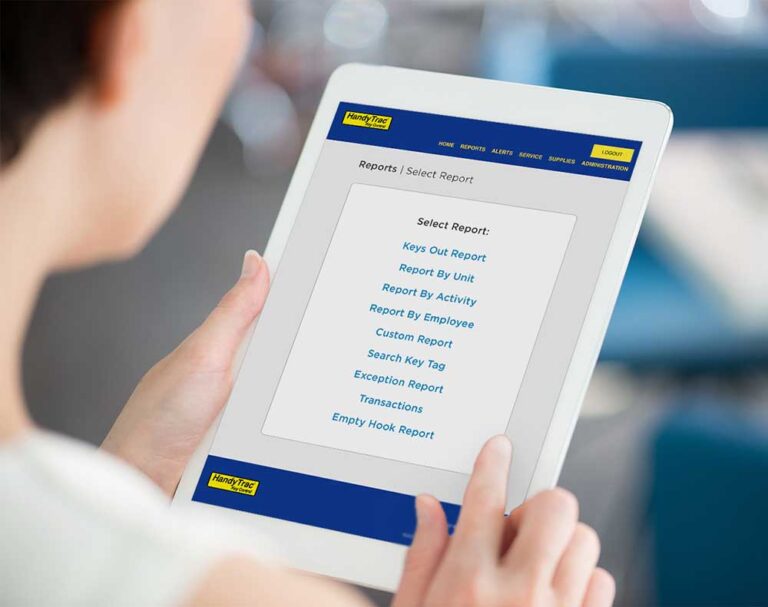
An electronic key control system combines a locking key cabinet with software that manages access and records key transactions. Authorized employees sign in, request a key, and document its use through the system. Managers can review the resulting audit trail to see who checked out a key, the recorded reason, and when it was returned.
For apartment communities, student housing, and other properties, electronic key management provides a central place to store unit keys and review their activity throughout the day.

How an Electronic Key Control System Works
With HandyTrac, employees follow a consistent process:
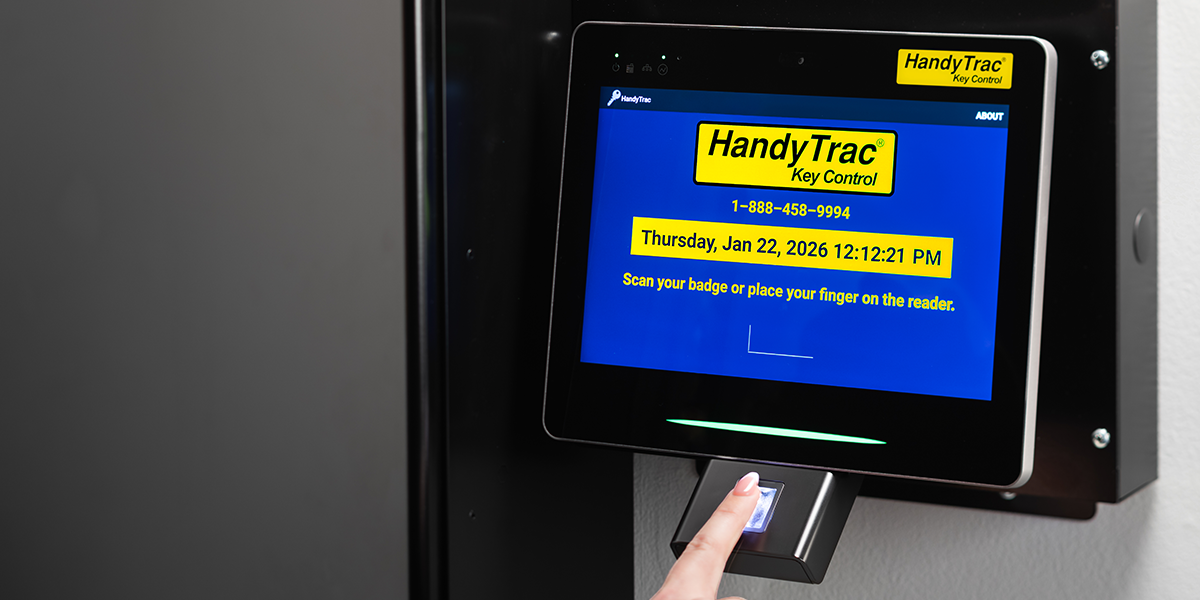
- Sign in with an assigned badge and PIN or biometric fingerprint access, depending on the model.
- Select an activity code and the unit key needed for the task.
- Retrieve the key from the location shown and scan its tag to verify the selection.
- When finished, sign in, scan the returned key, and place it on the assigned hook.
HandyTrac records key activity for reporting and assigns returned keys to random available hooks. This rotation helps prevent employees from memorizing key locations. Giving each employee their own login and following the scanning process helps keep the audit trail accurate.
Compare HandyTrac Electronic Key Control Systems
Start with the functions your property needs every day. All three Touch models offer key activity reporting, Wi-Fi and Ethernet connectivity, app connectivity, and support based in the United States. The differences below can help you narrow your selection.
| System | Key features | Consider it when |
|---|---|---|
| Standard Touch | 7 inch touchscreen, badge and PIN access, activity codes, and key reports | Your priorities are electronic key tracking and straightforward daily use. |
| Premium Touch | 7 inch touchscreen plus fingerprint access, Unit Notes, Unit Restrictions, and a Yardi work order interface | Your team needs biometric access or added tools for unit information and work orders. |
| Platinum Touch | 10 inch touchscreen, fingerprint access, Premium features, and full website access from the display | Your team would benefit from a larger display and website access at the system. |
If your team uses Yardi, ask about interface requirements when discussing Premium Touch or Platinum Touch. A demonstration can help you see how each model fits your maintenance and office workflows.

Choose a Cabinet That Fits Your Key Inventory
Count every key you plan to manage, including unit keys, common area keys, and maintenance or storage keys. Your cabinet requirements may be different from your total number of apartments.
| Cabinet option | Maximum key capacity |
|---|---|
| Compact Cabinet | 90 keys |
| Standard Single Cabinet | 400 keys |
| Standard Dual Cabinet | 800 keys |
The Compact Cabinet is available with Standard Touch, Premium Touch, and Platinum Touch. This lets a smaller property choose the features it needs in a cabinet sized for its operation.
Before choosing a configuration, consider anticipated growth, available wall space, and where employees will pull and return keys. Explore HandyTrac cabinet and system options to compare the available configurations.
What Affects Electronic Key Control System Cost
The cost of an electronic key control system depends on the equipment, capacity, and services included in the proposal. For HandyTrac pricing, request a quote based on your key inventory and preferred system.
When comparing quotes, ask for a clear breakdown of:
- The system model, cabinet configuration, and included key capacity.
- Any ongoing software, online service, or support charges.
- Installation, setup, and staff training, including what is already included.
- Warranty coverage, replacement supplies, and potential expansion costs.
Comparing the initial purchase and ongoing costs over the same period makes proposals easier to evaluate. Also consider the staff time your current process requires for finding keys, checking handwritten logs, and following up on returns.
Bring a short list of everyday challenges to your demonstration. If managers regularly need to review key activity away from the office, ask to see online reporting. If employees need instructions before entering a unit, ask how Unit Notes appear during a key pull. Seeing those tasks in action helps you decide which features are worth including in your budget.
Features to Prioritize When Choosing an Electronic Key Control System
An audit trail should give managers useful answers about key activity. Look for records of the employee, key, activity, and checkout and return times. Ask to see how your team would find a specific transaction or check which keys are still out.
Access management also matters when employees join, change roles, or leave. Review how authorized managers add or deactivate users and how those updates reach the system. Include these steps in your staff transition process.
Finally, consider the help available after installation. HandyTrac Touch product offerings include a system warranty and technical support based in the United States. Confirm the applicable coverage and service details with your quote so your team knows where to turn when questions come up.

Electronic Key Control System FAQs
Can a small property use an electronic key control system
Yes. HandyTrac offers a Compact Cabinet for up to 90 keys, with Standard Touch, Premium Touch, and Platinum Touch options. Choose the model based on the features your staff needs and the cabinet based on your key inventory.
Does HandyTrac replace the locks on unit doors
HandyTrac manages the physical keys your property uses. Its cabinet and software control access to stored keys and document key transactions. Door locks continue to control entry to the units themselves.
Can managers review key activity outside the office
Authorized managers can access HandyTrac reports online. The HandyTrac app is also included with every account, providing another way to stay informed about key activity and notifications.
Find the Right Electronic Key Control System for Your Property
A useful key control system should fit your inventory, give your team the information it needs, and make daily key handling easier to manage. Whether you need a compact cabinet or capacity for a larger community, we can help you compare the options.
Request a HandyTrac quote to find an electronic key control system that fits your property and budget.