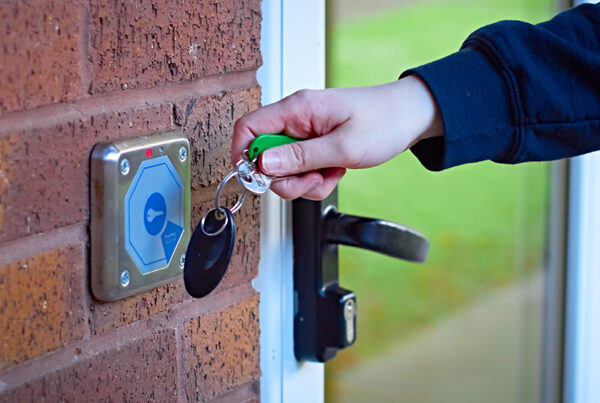

Key management is the process of controlling how physical keys are stored, issued, used, and returned. It combines secure storage, access permissions, and transaction records so an organization can identify who is responsible for a key and follow up when it is overdue or missing.
For property managers, that means having a dependable way to handle unit keys, maintenance room keys, and keys to shared spaces. When a technician needs a key or a manager reviews a checkout, the process should be clear to everyone involved.
This guide focuses on physical key management for apartment communities, student housing, senior living, manufactured housing, and other properties where teams share access to keys.

Why Key Management Matters
A unit key gives someone access to a resident’s home. Managing that key carefully helps your team protect privacy, follow property access procedures, and address questions about how keys were handled.
Accountability also helps employees. When each checkout is associated with an individual, managers have a record to review instead of asking the entire team who last had a key. Staff can see which keys are available and which still need to be returned.
Daily operations benefit from the same visibility. A maintenance request can stall when the necessary key is missing. A documented process helps your team identify the last recorded holder, follow up promptly, and keep the next task moving. Across multiple properties, consistent procedures also make training and staff transitions easier.
How Physical Key Management Works
An effective process follows a key through its full working life, from the moment it enters your inventory until it is replaced or retired.
Create a key inventory. Record the keys your property manages, including spare copies and keys for common areas. Give each tracked key or key set a unique identifier.
Store keys securely. Keep them in a designated location with controlled access. Use identifiers that do not openly display the address or unit number they unlock.
Authorize users. Decide who may request keys and who may change permissions or review records. Assign individual credentials so transactions can be traced to a person.
Record each checkout. Capture the key identifier, employee, checkout time, and purpose, such as a repair, inspection, or tour.
Document the return. Record when the key comes back and return it to the correct storage location. Set expectations for how soon keys should be returned.
Review and maintain the records. Follow up on overdue keys, reconcile the physical inventory, and update records when locks, keys, or staffing change.
For example: A technician checks out the key for Unit 204 to complete a repair. The record connects the key with that employee and the reason for the request. After the repair, the technician records the return. If the key remains out, the manager knows where to start following up.
A key transaction record documents key handling. It does not, by itself, establish that someone entered a unit. Review it alongside work orders and other relevant records when investigating an access question.
What Is a Key Management System
A key management system is the combination of equipment, records, and procedures used to manage physical keys. It may be a locked cabinet with a written log or an electronic cabinet connected to software. The right approach depends on your key inventory, access activity, and reporting needs.
| Approach | How activity is tracked | What to consider |
|---|---|---|
| Manual key log | Staff enter checkouts and returns on paper or in a spreadsheet. | Records depend on consistent entries and regular review. Secure storage is still needed. |
| Basic locked cabinet or lockbox | The lock protects storage; a separate log documents key use. | A shared code or cabinet key may not identify which person removed a particular key. |
| Electronic key management system | Users authenticate and complete recorded key transactions. | Compare identification methods, permissions, reports, alerts, and the required checkout steps. |
Electronic systems can reduce manual recordkeeping, especially when several employees use keys throughout the day. They still depend on staff completing the correct checkout and return process.
Features to Look for in an Electronic Key Management System
Start with the questions your team needs the system to answer. Can you find the last recorded holder of a key? Can you review an employee’s activity? How will you know a return needs attention?
Individual authentication: Identify the employee using the system through credentials such as a badge and PIN or supported fingerprint verification.
Useful audit trails: Review the employee, key, purpose, and time associated with a transaction.
Manageable permissions: Update employee access and apply available restrictions as responsibilities change.
Reports and alerts: Check outstanding keys, investigate transaction history, and receive available notifications.
Appropriate capacity: Allow room for your current key inventory, spare sets, shared spaces, and expected growth.
Support and continuity: Understand training, service, data backup, and procedures for power or internet interruptions.
During a demonstration, ask the provider to walk through a complete key checkout and return. Then ask how an authorized manager would locate that transaction, follow up on an overdue key, and remove a former employee’s access. These tasks show how the system will fit into an ordinary workday.

Key Management Best Practices for Property Teams
Write a key management policy that employees can use during a busy shift. Specify who owns the process, what staff must record, and what happens when something needs attention.
Use individual credentials. Avoid shared badges or logins that make it difficult to identify who completed a transaction.
Document every handoff. Require keys to be returned through your established process before another employee takes responsibility. For vendors, record the recipient, purpose, expected return, and employee overseeing the handoff.
Set a daily review routine. Assign someone to review outstanding keys and follow up on overdue returns. Decide who handles unresolved issues when that person is unavailable.
Keep permissions current. Review access when employees join, change roles, or leave. For HandyTrac, sync the cabinet after employee updates so the changes take effect. See our guide to managing employee badges.
Audit the inventory. Compare stored keys with your records, investigate discrepancies, and control who may authorize duplicate copies. Include spare keys in your review.
Define the missing key response. Identify who must be notified, what records to review, and who decides whether a lock needs to be rekeyed or replaced.
Prepare for interruptions. Train authorized staff on emergency access and temporary recordkeeping before an outage. HandyTrac users can review our storm preparation guidance as part of that planning.
Revisit the policy after a staffing change, a missing key incident, or an update to your system. Use what happened to improve the process and clarify responsibilities.

How HandyTrac Supports Property Key Management
HandyTrac electronic key control systems combine locking steel cabinets, barcoded key tags, and software for recording and reviewing key activity. Our Standard Touch, Premium Touch, and Platinum Touch systems offer options for different property needs. Premium Touch and Platinum Touch include biometric fingerprint verification.
During a standard HandyTrac Touch key pull, the employee signs in, selects an activity and unit, and follows the screen to the assigned key location. Scanning the tag verifies the requested key. When returning it, the employee scans the tag and places it on the assigned hook.
Random Key Rotation assigns returned keys to available hooks, helping prevent employees from memorizing fixed key locations. Our key request and return guide explains the process.
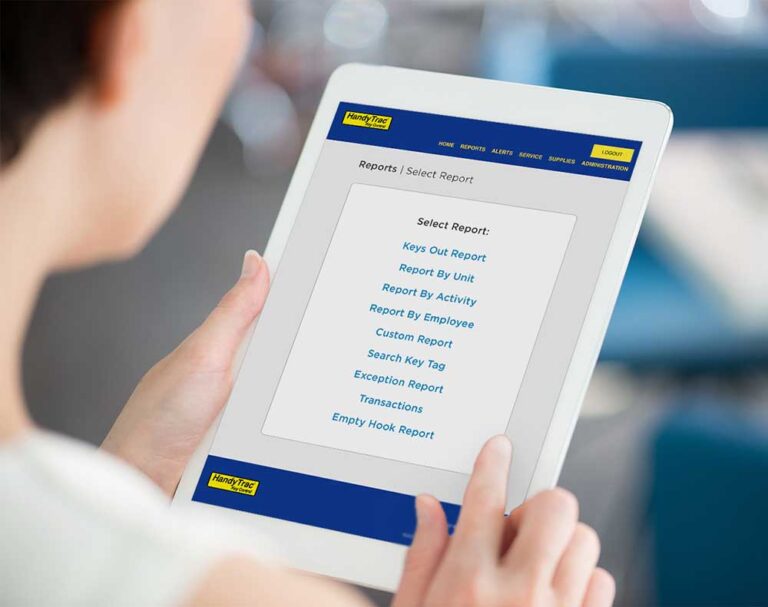
Managers can use HandyTrac key management reports to review outstanding keys and activity by unit, employee, or purpose. The HandyTrac app provides access to reports and administrative tools based on user permissions, helping teams stay informed away from the cabinet.
Cabinet options include the Compact Cabinet for up to 90 keys, a single standard cabinet for up to 400 keys, and a dual cabinet configuration for up to 800 keys. Confirm the system features and configuration that fit your property.
Frequently Asked Questions About Key Management
Is key management the same as key control?
The terms often overlap. Key management generally describes the overall process of maintaining inventory, issuing keys, recording returns, and reviewing activity. Key control emphasizes the safeguards that limit access to keys and establish accountability for their use.
Can software manage physical keys?
Software can maintain an inventory, associate transactions with users, and provide reports. It needs to work with secure storage and a reliable way to record physical checkouts and returns. A spreadsheet alone cannot establish that a key has been put back.
Does electronic key management require new door locks?
Managing existing physical keys through an electronic cabinet generally does not require replacing the locks those keys operate. The cabinet manages key storage and transactions. Changing to electronic door access is a separate decision.
Do small properties need an electronic key management system?
Consider how often keys change hands, how many people need access, and how much time your team spends tracking returns. A small community with frequent maintenance or vendor activity may benefit from electronic records even with a modest key inventory.
How much does a key management system cost?
Costs depend on cabinet capacity, hardware, software or service fees, installation, and support. Ask for a quote that separates the initial purchase from ongoing charges. Compare those costs with your current time spent issuing keys, reviewing logs, and investigating missing keys.
Make Everyday Key Management Easier
Finding an available key, tracking its use, and confirming its return should be straightforward. We’ll help you choose a HandyTrac system that fits your key inventory and the way your team works.
Request a HandyTrac quote or schedule a demo to find the right solution for your property.