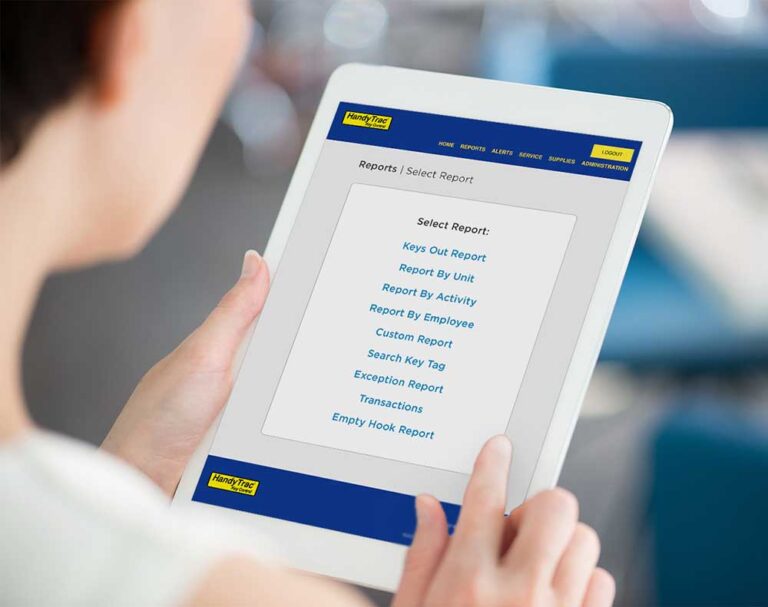

When the power goes out, property teams still need fast, secure access to keys for work orders, emergencies, unit access, and day-to-day operations. That’s why a power outage is more than just an inconvenience. It’s a moment that tests how prepared your key management process really is.
The good news is that outages do not have to create confusion. With the right setup and a clear process, your team can stay organized, maintain accountability, and continue managing keys safely until power is restored.
Maintain access to your live keymap
A key part of outage planning is making sure authorized team members know how to access the current keymap when they need it.
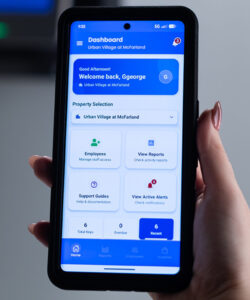 Because the system is actively being used throughout the day, a printed keymap can quickly become outdated as keys are pulled and returned. Instead of relying on a copy printed in advance, your team should know how to log in to HandyTrac online or use the HandyTrac App on their phone to view the most current keymap at any time.
Access to the live keymap gives staff a more accurate picture of key activity and helps avoid confusion during an outage. It also creates consistency across shifts, especially when multiple team members may need to access or return keys during an emergency.
A smart best practice is to make sure authorized managers have the right access level ahead of time and already have the HandyTrac App installed on their phones, so no one is trying to figure it out under pressure.
Make sure your UPS is set up correctly
Your UPS battery backup should be a central part of your outage plan.
If the UPS is the correct rating, connected properly, and not shared with other office equipment, your HandyTrac system can often continue operating normally on backup power for hours. In many cases, that means your team can simply keep using the system as they normally would during a short-term outage.
That is why it is important to confirm your UPS is installed correctly, connected only to the key control system, and functioning as expected before an outage ever happens.
Preserve battery power during longer outages
If you expect the outage to last longer than three or four hours, your team may need to conserve UPS battery life.
In that situation, staff can power on the system when keys need to be pulled or returned, complete the transaction, and then turn the system off again when it is not in use. This allows you to extend backup power while still maintaining normal key control activity as needed.
Planning for both short and extended outages helps your team stay flexible without giving up accountability.
Use the cabinet key only when manual access is necessary
If the system cannot be used electronically, the cabinet key can be used to open the cabinet and manually pull or return keys using the current keymap for reference.
Manual access should be treated as a backup procedure, not the first step. If your UPS is working properly and still has battery life, your team may be able to continue using the system normally without opening the cabinet manually.
But when manual access is necessary, preparation makes all the difference. When staff know where the cabinet key is stored and how to follow the keymap accurately, they can continue handling urgent requests while keeping the process as organized as possible.
What if the cabinet key is missing?
If the cabinet key is missing, the situation becomes much more difficult. In some cases, the lock may need to be drilled out and replaced.
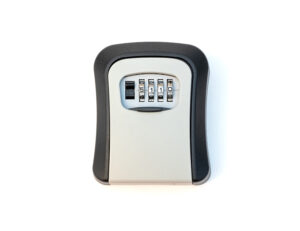 That is not a position any property team wants to be in, which is why cabinet key control should be reviewed as part of routine preparedness, not only after an outage has already started.
The cabinet key should be secured, hidden, and accessible only to authorized team members. HandyTrac also offers a small lockbox on the HandyTrac Shop to help teams store cabinet keys more securely.
A simple outage checklist for key management
When power is interrupted, your team should be ready to follow a process like this:
- Check whether the UPS is connected properly, powered on, and dedicated to the HandyTrac system.
- Continue using the system as normal if backup power is available.
- If the outage is expected to last more than three or four hours, conserve UPS battery by turning the system on only when keys need to be pulled or returned.
- Access the live keymap through HandyTrac online or the HandyTrac App to confirm current key status.
- Use the cabinet key for manual access only if the system can no longer be used electronically.
- Keep the cabinet key secured outside the cabinet and make sure authorized team members know how to access it in an emergency.
Final thoughts
Power outages are unpredictable, but your key management process should not be. When your team has a properly configured UPS, access to the live keymap, and secure control of the cabinet key, it becomes much easier to maintain accountability and keep operations moving.
With the right preparation, a power outage does not have to disrupt your workflow or create unnecessary stress. Instead, it becomes a situation your team is ready to handle with confidence.