
Key control is the process of securing physical keys, determining who may use them, and recording when they are issued and returned. It combines secure storage, clear procedures, and individual accountability to help reduce lost keys and unauthorized access.
For property managers and facility teams, that means being able to answer a simple question: Who has the key, and when should it be back?
Whether you manage an apartment community, student housing, or a commercial building, understanding the basics can help you build a more reliable process.

A. What Is Key Control?
A key control program establishes how your organization manages physical keys throughout their use. It covers more than where keys are stored. It also defines who can retrieve them, why they are needed, how returns are documented, and what happens when something goes wrong.
An effective process should help you determine:
- Which keys are in your inventory.
- Who is authorized to use them.
- Who checked out a particular key and for what purpose.
- When the key was taken and returned.
- Whether any keys are missing or overdue.
What Is a Key Control System?
A key control system provides the tools to put those procedures into practice.
A manual system might combine a locked cabinet with a paper log or spreadsheet. Employees record each transaction, and a manager checks the records against the keys on hand.
An electronic key control system combines a secured cabinet, user authentication, and software that records key transactions. Depending on the system, it can also provide searchable reports, access restrictions, and notifications.
The difference is in how consistently activity can be documented and how easily your team can review it.
How Does Electronic Key Control Work?
The exact process varies by system. With HandyTrac, the basic workflow includes:
- Identify the user. An authorized employee signs in using the credentials required by their system.
- Request a key. The employee selects the unit or location and records the reason for access.
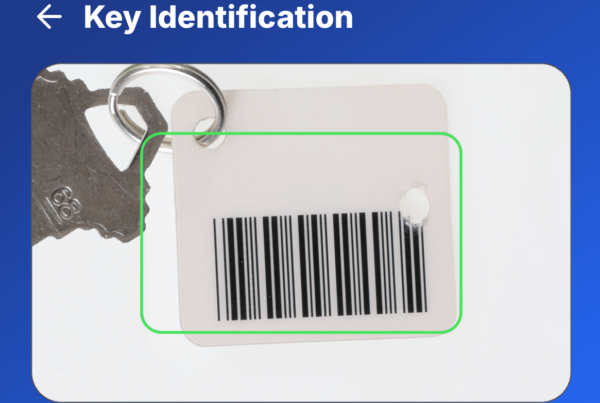
- Retrieve and scan. The employee takes the key from the indicated hook and scans its tag to verify the selection.
- Record the return. The employee scans the tag when returning the key and places it on the assigned hook.
- Review activity. Authorized managers can use reports to review recorded transactions and outstanding keys.
HandyTrac’s Random Key Rotation assigns returned keys to random available hooks, helping prevent employees from memorizing key locations. Following the scanning and placement steps is essential to keeping records accurate.

B. Why Is Key Control Important?
Physical keys can provide access to occupied apartments, offices, equipment rooms, and other sensitive spaces. A missing key creates uncertainty about who might be able to enter those areas.
Key control helps address that uncertainty while making daily operations easier to manage.
Strengthen Accountability
Individual credentials connect recorded key transactions to specific users. When a question comes up, managers have a documented starting point instead of relying on memory or an incomplete handwritten entry.
For example, if a unit key is unavailable for an inspection, a key activity report can show which employee checked it out and whether its return has been recorded.
Spend Less Time Searching
A consistent checkout and return process helps employees locate available keys and identify outstanding ones. That can reduce interruptions during maintenance requests, inspections, and unit turns.
Follow Up on Overdue Keys
An overdue key may have been forgotten, misplaced, or kept longer than expected. Configured notifications can bring it to a manager’s attention so the team can follow up.
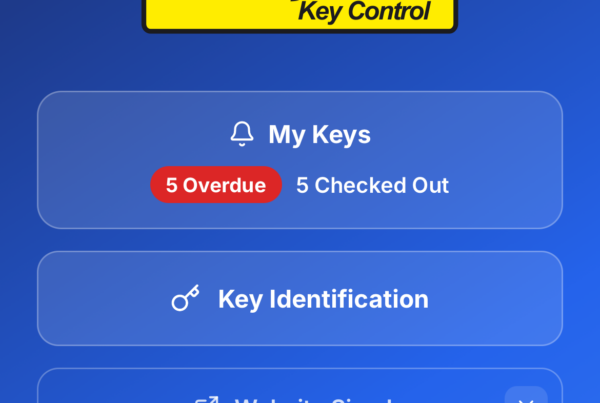
HandyTrac’s app alerts include overdue key notifications and scheduled keys out summaries.
Manage Staff Changes
Key access should reflect each employee’s current responsibilities. When someone changes roles or leaves, reviewing their permissions and collecting outstanding keys helps close gaps in your process.
Removing system access does not recover a physical key that is already checked out. Both steps matter.

C. Where Can You Use Key Control?
Any organization that shares physical keys can benefit from a defined process. Common applications include:
| Setting | Examples of keys to manage |
|---|---|
| Apartment communities | Unit keys, vacant apartments, amenities, and maintenance areas |
| Student housing | Residential rooms, shared spaces, and service areas |
| Senior living communities | Resident spaces, offices, and maintenance rooms |
| Commercial properties | Tenant suites, storage rooms, and building equipment areas |
| Schools and other facilities | Classrooms, offices, supply rooms, and service spaces |
Your needs depend on more than the number of keys. Consider how many people use them, how frequently they change hands, and the consequences of a key going missing.
A smaller property with frequent maintenance and vendor activity may need detailed tracking just as much as a larger facility.
What Should a Key Control Policy Include?
Technology supports your procedures, but your team still needs clear expectations. A written key control policy should address these responsibilities:
| Policy area | What to establish |
|---|---|
| Key inventory | Record each key’s identifier, purpose, and authorized copies. Avoid exposing sensitive location details on tags. |
| Access permissions | Define who may retrieve keys, approve access, and manage user accounts. |
| Checkout and return | Require individual credentials, a reason for use, and a recorded return. Set expectations for when keys must come back. |
| Key duplication | Identify who may authorize copies and how new copies enter the inventory. |
| Missing or overdue keys | Name the person to notify, the follow-up process, and who assesses whether locks need attention. |
| Reviews and staff changes | Assign responsibility for inventory checks, report reviews, permission updates, and collecting keys from departing employees. |
Make these procedures part of onboarding. Have employees practice retrieving and returning keys, and explain what to do when a key is missing or a transaction does not go as expected.
Our guide to training new staff on key control protocols offers additional steps for building consistent habits.
How to Choose a Key Control System
Start with your daily workflow. Count the keys you need to manage, identify who needs access, and consider how managers will monitor activity.
When comparing systems, look at:
- Capacity: Space for your current inventory and anticipated growth.
- Authentication: Individual credentials and available biometric options.
- Reporting: Accessible records of key checkouts, returns, and outstanding keys.
- Notifications: Alerts that support your return expectations and follow-up process.
- Usability and support: A process employees can follow consistently, with training and help available.
Ask to see a complete demonstration, including a key checkout, a return, and a manager reviewing the resulting records.
Common Questions About Key Control
Is key control the same as access control?
Key control is one part of access control. Access control determines who may enter a space. Key control focuses on managing the physical keys that can provide that access.
Does a key checkout record prove someone entered a room?
No. It documents the key transaction, not necessarily entry through a door. Managers should consider it alongside work orders and other relevant records when reviewing an incident.
Can a key cabinet prevent unauthorized copies?
A cabinet helps control access to stored keys, but it cannot prevent someone from copying a key after removal. Key duplication rules and appropriate lock and key choices remain part of the broader security plan.

Put Key Control Into Practice
Your team needs a dependable way to retrieve keys, document their use, and account for their return. HandyTrac brings secure key storage and electronic tracking together, with reporting and authentication options to support your property’s needs.
Explore HandyTrac key control systems or contact us for a quote to find the right fit for your key inventory and daily operations.