The price of a key or fob is only part of what a multifamily community spends on access. Resident turnovers, lost credentials, and staff changes create additional work, from preparing new keys to updating permissions and tracking access.
When comparing apartment key costs, one must consider the equipment, ongoing fees, and time your team spends managing the system. Here is how key fobs, mobile access apps, and physical keys fit into that budget.
How Much Do Apartment Key Fobs Cost?
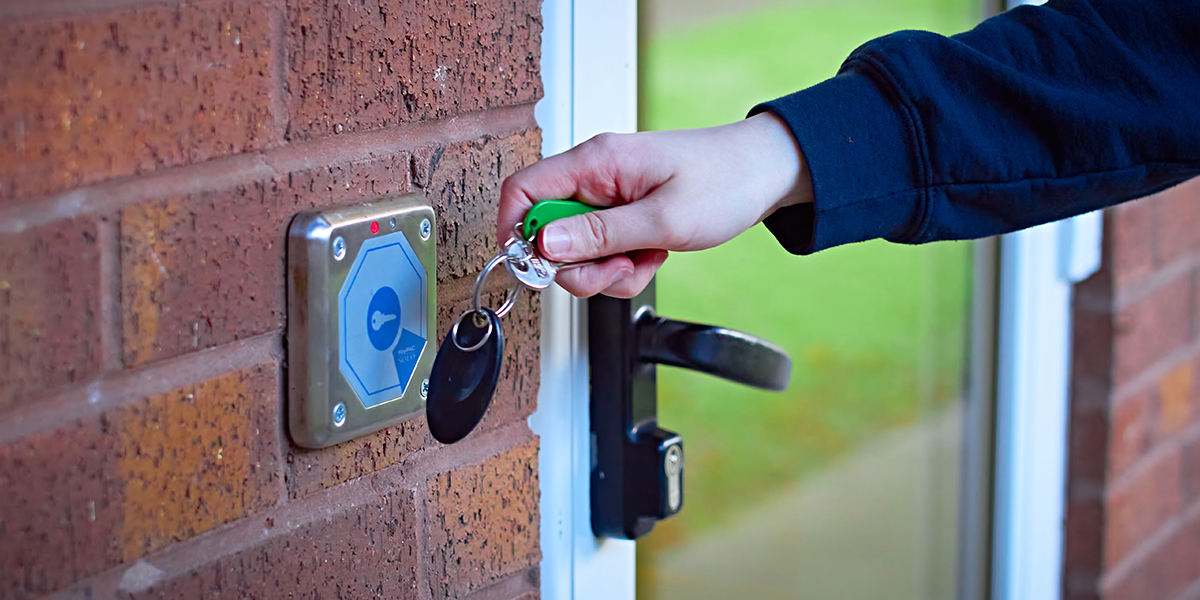
The price of a key fob is only part of what you’ll pay. A new system may also require readers, door hardware, and installation, along with ongoing software or service fees.
Even when returned fobs can be reused during turnovers, your team still needs to update access, deactivate missing fobs, and replace lost or damaged ones. As you research your options, ask what staff can handle themselves and whether help from the provider comes with an extra charge.
If your existing locks are working well, consider whether switching to fobs offers enough value to justify the cost, or whether improving how you manage physical keys could meet your needs.

What Do Mobile Access Apps Cost?
Mobile access apps let residents open compatible doors and gates with their phones. The app may be free to download, but the property may still pay for equipment, installation, monthly or annual subscriptions, and technical support.
When researching mobile access, check how fees are calculated and whether adding residents or doors increases the cost. Look out for separate charges to set up the system, activate new users, or connect it to your property management software.
For illustration, a hypothetical fee of $2 per unit per month would cost a 200-unit community $4,800 per year, before equipment and installation. Actual pricing depends on the provider and system.
During turnovers, staff will need to remove former residents’ access and set up incoming residents. Your budget should also account for helping residents with login problems or phone changes, along with providing another way to enter if they’re unable to use the app.
How Much Do Physical Keys Cost?
Physical keys can be an affordable, practical choice, especially when your property already has reliable locks in place. Basic keys are usually inexpensive to copy, although specialty or restricted keys may cost more and require an authorized provider.
Depending on your locks, your maintenance team may also be able to handle rekeying during resident turnovers or when keys go missing. Keeping this work in house can help reduce outside service costs.
Adding electronic key control gives your team secure storage, clear activity records, and a consistent way to track key handoffs and returns. This helps simplify daily key management and strengthen accountability while continuing to use your existing door locks.
Estimated Costs for a 200 Apartment Community
For this example, each apartment receives one key fob, one annual app subscription, or one basic physical key. Compatible locks and access equipment are already installed.
| Access method | Estimated total | Cost breakdown |
|---|---|---|
| Key fobs | $2,580 for the initial fobs | 200 fobs × $12.90 each. The listed price is $129 per pack of 10, so this example requires 20 packs. |
| Mobile access apps | $8,000 per year for subscriptions | 200 apartments × $40 per apartment per year. This example is an app subscription with video intercom and remote door unlocking features. |
| Basic physical keys | $400 to $1,000 for the initial copies | 200 key copies × $2 to $5 each. |
These totals cover fobs, subscriptions, or key copies only. Equipment, installation, staff time, taxes, and any additional software or key control fees are excluded.
What Replacements and Turnovers Can Add
Here are a few examples to help estimate additional expenses. Adjust the quantities to match your property's needs.
| Additional expense | Example total | Cost breakdown |
|---|---|---|
| Replace 20 missing or damaged fobs | $258 | 20 replacement fobs × $12.90 each. Programming costs are extra. |
| Make 20 additional basic key copies | $40 to $100 | 20 copies × $2 to $5 each. |
| Rekey 20 locks | $300 to $800, plus trip fees | 20 locks × $15 to $40 per lock. This uses a published residential locksmith estimate. |
Returned fobs may be reused where supported. Check whether changing app users carries an activation or transfer fee. For key copies, count only those charged separately from rekeying.
Costs to Account for with Keys, Fobs and Mobile Access
The cost of keys, fobs, or mobile credentials is only part of the budget. Equipment, installation, repairs, and staff time can also affect your total. These published U.S. price ranges provide a starting point. Actual costs depend on your location, existing hardware, and the system selected.
| Expense | Ballpark Cost | What to Include |
|---|---|---|
| Fob or mobile access equipment and installation | $1,500–$3,500 per equipped door | A published installer estimate for the reader, controller share, electric locking hardware, cabling, and programming. Complex installations can cost more. |
| Access software and ongoing fees | $0–$50+ per door per month | Software licensing or maintenance. Some systems have no recurring fee. Mobile credentials, integrations, or additional support may cost extra. |
| Basic physical lock repairs | $65–$150 per lock | Repairs such as fixing a sticking cylinder, misaligned latch, or worn internal parts. |
| Standard physical lock replacement | $100–$300 per lock installed | Replacement hardware and installation labor. Commercial or high-security hardware can cost more. Ask whether a service-call fee is additional. |
| Electronic key control equipment and service | Request a quote | Include equipment and any ongoing service fees. Contact HandyTrac for pricing based on your property’s needs. |
| Staff time for any access method | Example: $5 per 10-minute task | Using an assumed labor cost of $30 per hour, 100 tasks taking 10 minutes each would cost $500 in staff time. Use your team’s actual labor cost and time spent issuing access, updating permissions, and tracking returns. |
Count equipped doors when estimating installation costs. The electronic access estimate applies to reader-based entrances and common areas, not the number of fobs or residents. Individual smart locks require a separate estimate.
If your property uses fobs or apps for common areas and physical keys for units, include both in the budget. Count software and service fees only once if they are already included in your mobile access costs.
Pricing reviewed September 2026. Figures are budgeting estimates, not property-specific quotes. The staff time calculation is an example.

How Resident Turnovers Affect Apartment Key Costs
Every apartment turnover requires access handoff. The previous resident’s access must end, maintenance teams and vendors need access during preparation, and the incoming resident needs working credentials.
The work differs by system:
| Access method | Tasks to include in the turnover budget |
|---|---|
| Key fobs | Remove previous access, collect returned fobs, reassign them where supported, and replace missing or damaged credentials. |
| Mobile apps | Remove previous permissions, manage temporary access, enroll incoming residents, and check for credential or activation charges. |
| Physical keys | Collect keys, complete the property’s rekeying process, prepare new copies, and update the unit key kept by management. |
Whether you’re replacing key fobs, updating app access, or rekeying locks, turnovers take time and money. Electronic key control systems like HandyTrac can make physical keys easier to manage through secure storage and clear records of each checkout and return. Properties can keep their existing locks while reducing manual tracking and improving accountability as staff and vendors prepare units for their next residents.
Employee Turnover Creates Access Costs, Too
When an employee leaves, access needs to be removed everywhere they were authorized to enter. That can mean deactivating key fobs, removing app permissions, and collecting physical keys. If your property uses separate systems for different areas, each one needs to be checked.
Physical keys present another challenge: they cannot be disabled remotely. Missing keys may lead to rekeying costs, and incomplete paper logs can make it harder to confirm what still needs to be returned.

How HandyTrac Supports Key Control During Turnovers
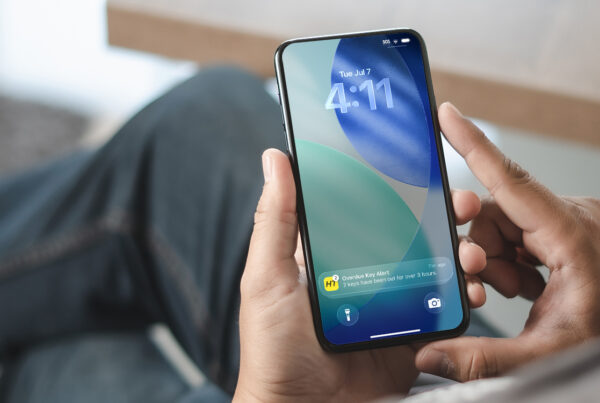
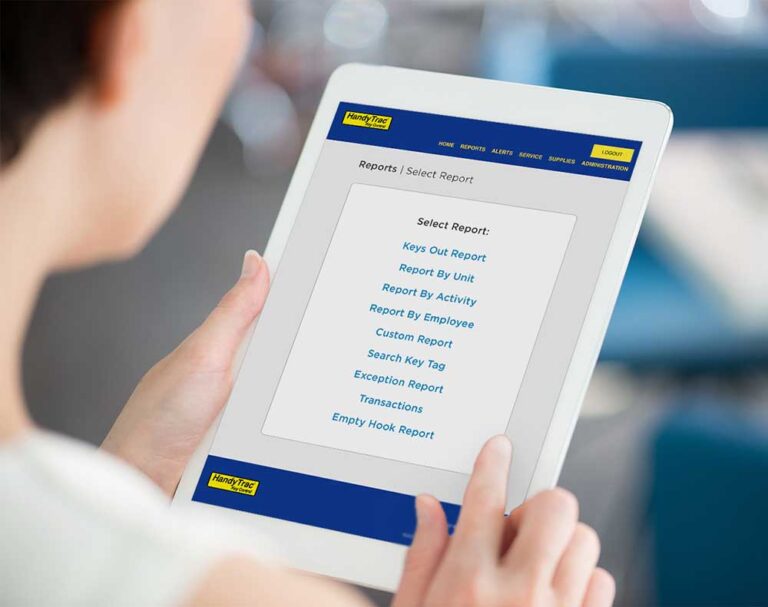
During busy turnover periods, HandyTrac’s overdue key notifications and keys out summaries help managers quickly identify outstanding keys and follow up on returns.
The HandyTrac app extends that visibility beyond the office, allowing managers to review key activity, update employee access, and receive notifications while walking the property or working elsewhere.
For communities using physical keys, these tools help reduce manual tracking and strengthen accountability while keeping existing door locks in place.
Ready to see how HandyTrac can simplify key management during resident and staff transitions? Request a demo today.